
Twenty-Four Mountains
Classical Feng Shui, on your iPhone and your Mac.
A live Feng Shui compass for the site visit, and Ba Zhai, Flying Stars and Ming Gua charts drawn over your own floor plans back at your desk.
24 Mountains for iPhone
A Feng Shui compass in your pocket
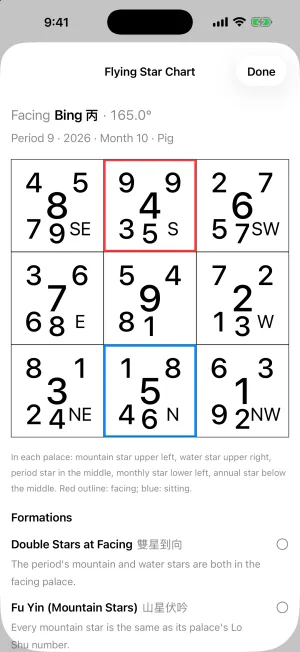
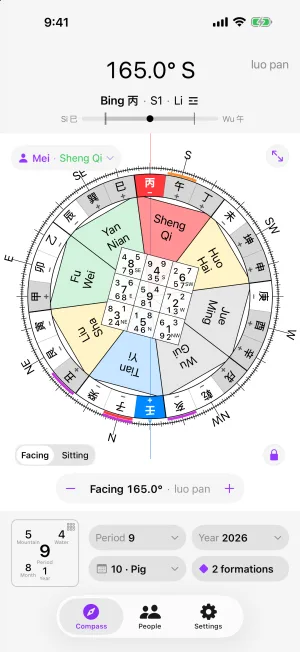
Stand in the house and the 24 Mountains ring, the Ba Zhai directions and today’s Flying Star chart turn with you. Take a reading to hold the facing direction, then explore the chart.


Take a reading
Tap the target and the app averages the compass for a few seconds, then holds the facing and sitting directions. Fine-tune it to match your luo pan.
Flying Stars for any time
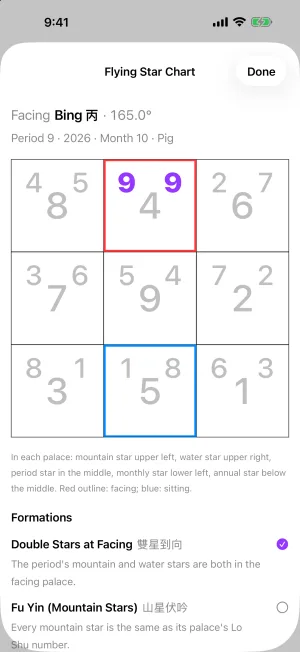
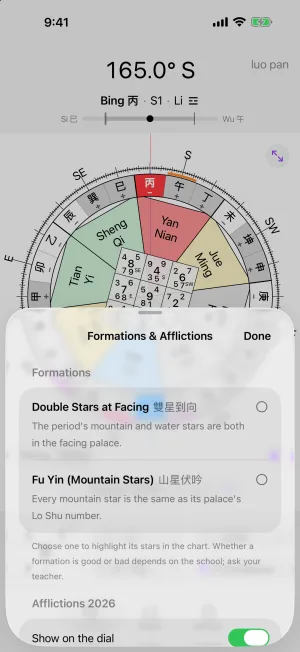
Period, mountain, water, annual and monthly stars in every palace, following the Feng Shui year from Li Chun. Formations and the year’s afflictions are marked on the dial.
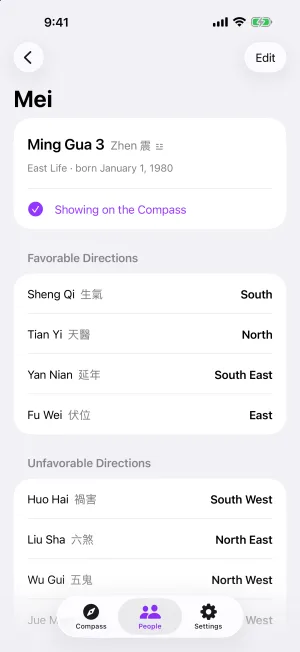
Ming Gua for the household
Add each person’s birth date to see their Ming Gua and show their favorable directions right on the compass.
Free, with a Pro unlock
The live compass, Ba Zhai, today’s chart and one person are free. 24 Mountains Pro is a one-time purchase, shared with Family Sharing. Try it free for 7 days, with no automatic charge.
Twenty-Four Mountains for Mac
Classical Feng Shui charts, drawn on your own floor plans
Ba Zhai, Flying Stars and Ming Gua for professional practitioners. Import a floor plan, take your compass reading, and every chart is laid out over the building in seconds.
Coming soon to the Mac App Store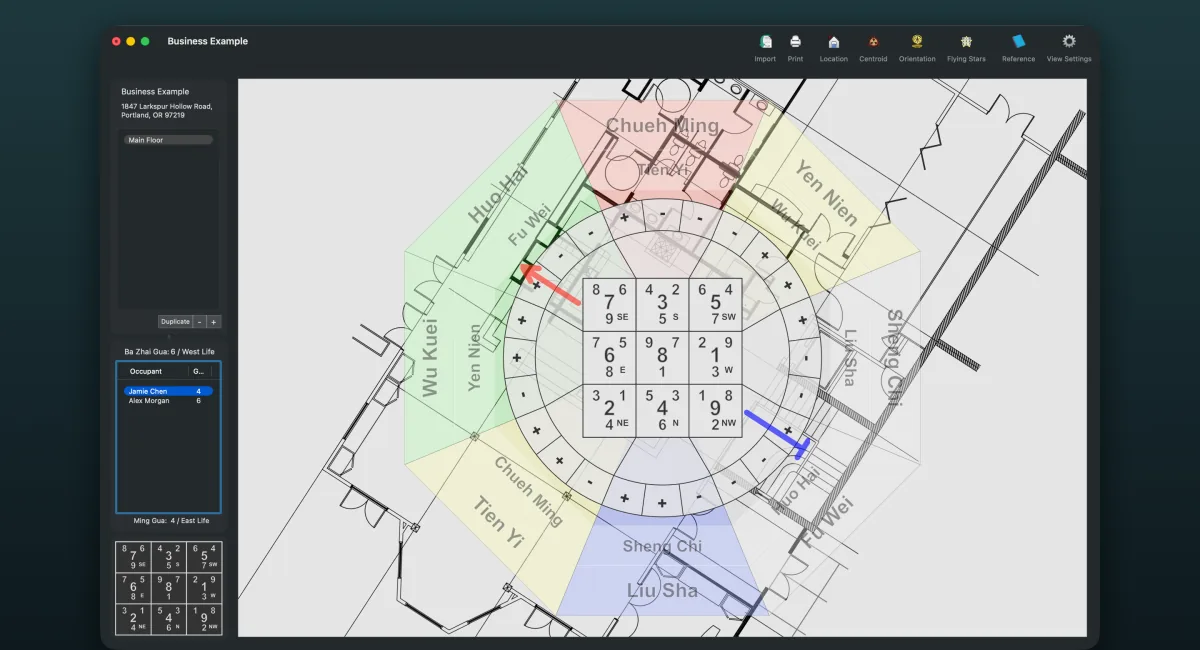
Orientation
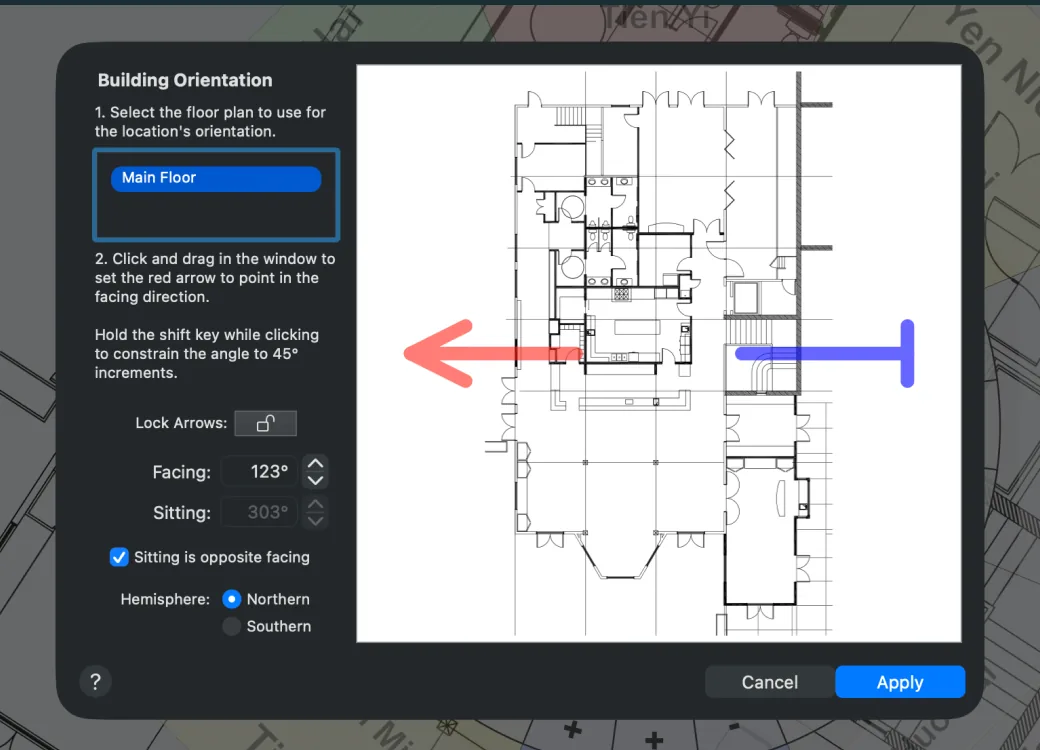
Set the facing direction right on the plan
Drag the red arrow on the floor plan to point the way the building faces, then fine-tune the facing and sitting degrees. Hold Shift to snap to 45° steps.
Degrees are used exactly as you read them from your luo pan or compass, and both Northern and Southern Hemisphere locations are supported.
Finding the center
Find the building’s true center
Click around the outline of the building, however irregular its shape. Twenty-Four Mountains calculates its center of balance, the centroid, rather than the middle of a bounding box.
Approximate curved walls with a few short sides, and drag any corner to adjust it. No more guesswork.

Flying Stars
Flying Star charts for any year
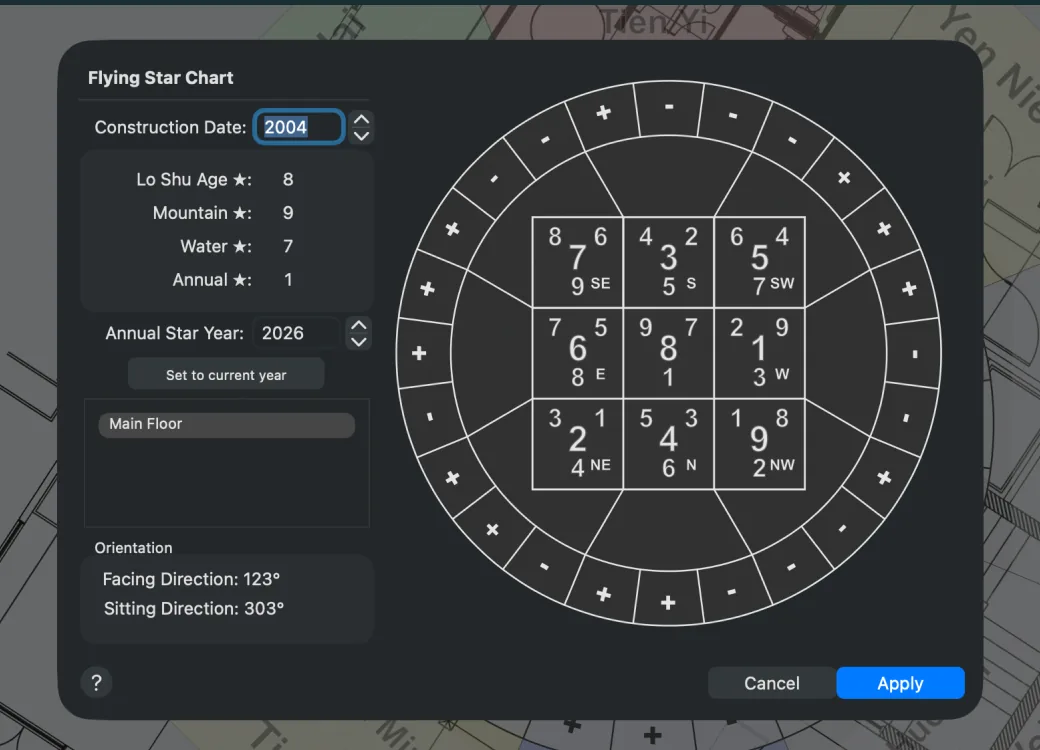
Enter the year of construction or last major renovation, and the period, mountain and water stars are calculated for every palace.
Choose any year for the annual stars. The Feng Shui year begins at Li Chun, around February 4, and Southern Hemisphere locations follow the southern convention.
Clients and residents
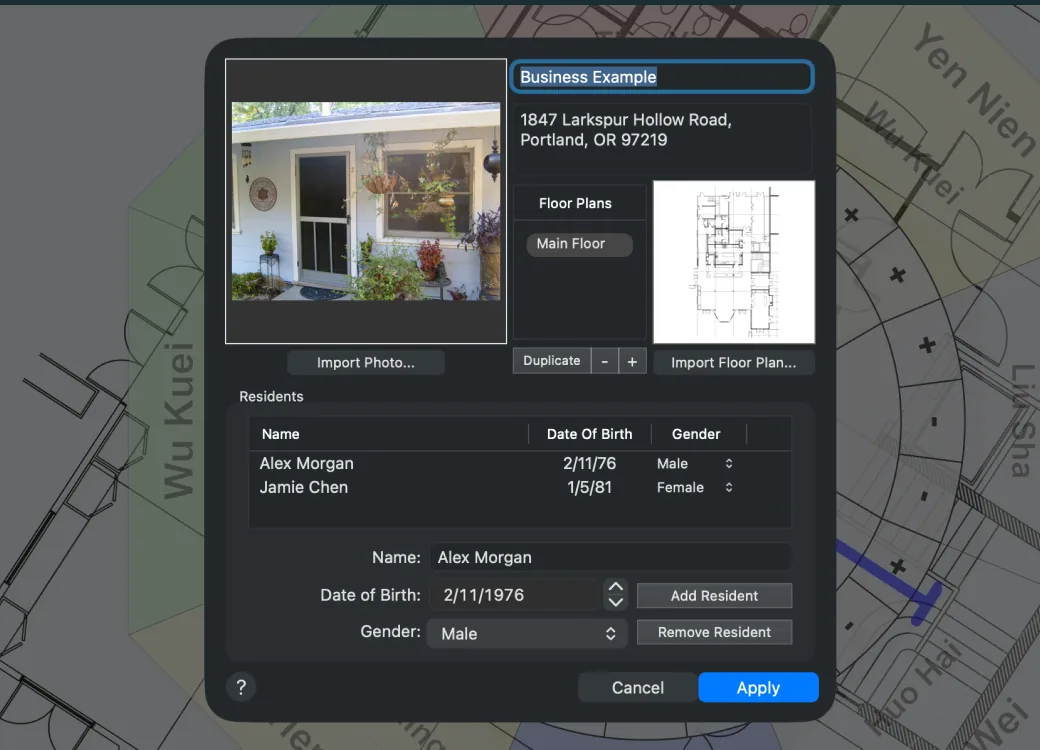
Every client’s Ming Gua and floor plans in one place
Keep each client’s name, address, photo and floor plans together in one document. Add the residents with their dates of birth, and each person’s Ming Gua is calculated for you.
Select a resident to see their favorable directions over the plan. Add a floor plan for each floor, or duplicate one to compare design options.
Also in the Mac app
Reference panel
What each star means in each palace, with suggested cures, one click away.
Print and export
Print the finished map, or export it as PDF, PNG, JPEG or TIFF for your client’s report.
Grid or circle
Show or hide each layer (floor plan, Ba Zhai, directions, Flying Stars, 24 Mountains ring) and switch the chart between circle and grid styles.
A worked example
Choose File > Open Example Document to explore a complete, ready-made chart before you start your own.
Your school’s conventions
How the app treats magnetic north, Li Chun and the two hemispheres is documented in full, so you can match it to your practice.
Private by design
No account and no network access. Your documents stay on your Mac, and the iPhone app collects nothing either. Privacy policy
Made by Amy & Kevin Ross
Twenty-Four Mountains takes the drudgery out of drawing classical Feng Shui charts by hand, so practitioners can spend their time on the reading itself. About us
Bought version 1?
Thank you for being an early supporter! The Mac App Store version doesn’t use license keys. Email support@twentyfourmountains.com from the address you bought with, and we’ll help you move to the new version.
Get Twenty-Four Mountains
No subscriptions: the iPhone app is a free download with a one-time Pro unlock, and the Mac app is a one-time purchase.
Coming soon to the Mac App Store